What is Honorlock?
Honorlock is an online proctoring tool that uses AI to monitor video inputs and flag suspicious behavior during exams. Significant flags notify human "Live Pop-in™" proctors for immediate, real-time intervention. Instructors then review the automated alerts and recordings to determine if follow-up action is needed.
For more details, visit the IT@UMN Honorlock service page.
How to Get Honorlock in Your Course
- Working with an Instructional Designer (ID)? If you are currently designing, revising, or consulting on a course, ask your ID to help you set it up.
- Not working with an ID? Submit a request via the CCAPS-ATD Service Request form to schedule a setup consultation.
Recommended Setup
To minimize student anxiety and technical issues, ATD and IT@UMN strongly recommend including:
- A syllabus statement that outlines Honorlock expectations and links to student resources.
- A low-stakes practice exam deployed at least one week before the first official test so students can test the software and troubleshoot hardware.
Proctoring Settings: Your specific settings depend on your exam format (online vs. in-person) and security constraints. Review the guide on suggested proctoring settings to use, or contact your ID/ATD for guidance.
Technical Support Considerations
While ATD manages course-level setup and global settings issues, our small team does not provide immediate, real-time troubleshooting for individual students.
If a student encounters technical difficulties while testing, they should utilize Honorlock’s 24/7/365 support. Live assistance is available via the Honorlock support web page or directly within the exam using the blue chat bubble in the bottom-right corner of the screen.
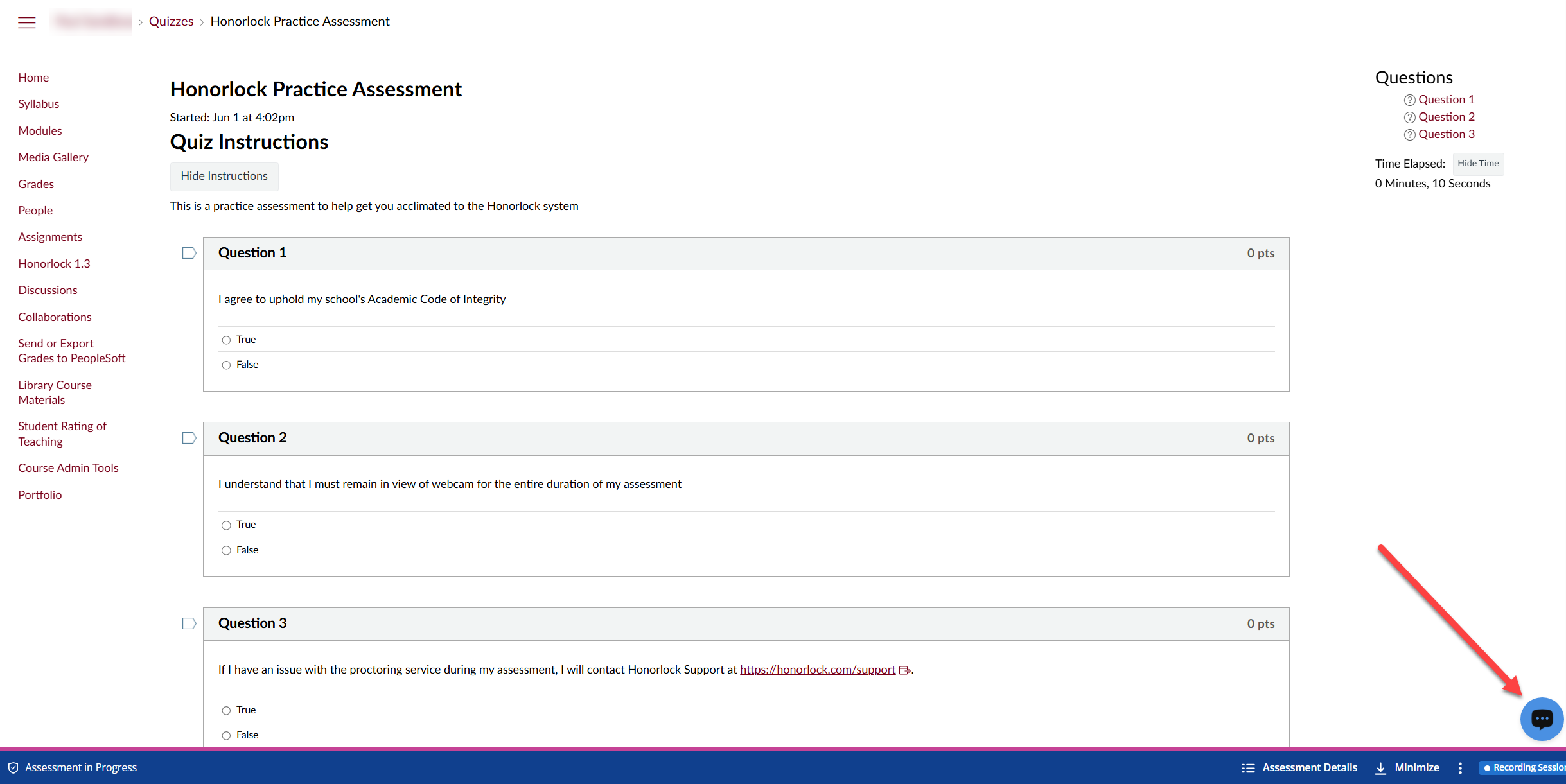
These support links are embedded in the syllabus policy block we would add to your course for you and within standard quiz description templates. If you need help adding them to your course, please submit a ticket through the CCAPS-ATD Service Request form.
Support Resources: Honorlock technical support is available 24/7/365. If you experience issues before or during an exam, use the live chat feature on the support page or click the blue chat button inside the test window.